

Before you start
Testing this end to end needs production credentials. The sandbox stops at the confirm (
sandbox_mode): no approval link, no webhook, no order. See Going to production.client_id / client_secret, the Redis database. This agent is that agent plus a shopping loop.
Tools

Linq
Agentcard Purchase API

Vercel eve
How it works
A purchase runs as one user, so the agent needs a token for that user. The Vault link from the first guide is the sign-up: the user stores a card with a passkey, and the agent exchanges the linked session for the user’s connection tokens. No code, no account. Shopping is then a loop on one endpoint,POST /buy: an ask builds or refines a cart, a confirm with the cart’s hash places it. The user’s vaulted card pays, after an approval they tap on their phone, and a webhook tells the agent the moment they did.
In the sandbox everything runs against the real merchant up to the confirm, which is declined with
decline_code: "sandbox_mode" by design; the last two rows of the table only happen in production.
1. Copy the blueprint and deploy it
The repo is tiny-agent-company/purchase-imessage-agent, created from the first guide’s repo as a template.- Two more variables:
AGENTCARD_MODE=sandbox(the connect code is111111, confirms end insandbox_mode) andSTORE_PREFIX=purchase(several agents can share one Redis). - The Agentcard webhook endpoint subscribes to the approval events too:
["vault.card_stored", "vault.session_linked", "checkout_authorization.approved", "checkout_authorization.declined", "checkout_authorization.expired"]. One endpoint per deployment. - One Linq sandbox line serves one agent at a time (Linq issues one sandbox per phone number and per email domain). To run this agent on the first guide’s line, move its subscription instead of creating one; the signing secret stays the same, so the same
LINQ_WEBHOOK_SECRETgoes on this project:
GET /api/partner/v3/webhook-subscriptions lists your subscriptions with their ids.
The rest of this guide walks through the new code, in the order a purchase runs.
2. Connect users without login
Every/buy call runs as the user, with a user token. The first guide’s open Vault link already makes the user prove themselves on the vault page and store a card; POST /api/v2/vault_sessions/{id}/exchange turns that finished link into the user’s connection tokens, once, with the organization token. The user never receives a code and never creates an account.
The order of events, all in agent/channels/agentcard.ts:
- A new user texts.
buyreturnsnot_connected, the agent callscreate_vault_link, and the tool creates an open session (POST /api/v2/vault_sessionswith{}), remembersvault session → eve session, and texts theurlalone. - The user stores a card. Agentcard delivers
vault.session_linked(and, seconds later,vault.card_stored) with thevault_session_id. - The webhook handler in
agent/channels/agentcard.tsexchanges the session and stores the pair under the phone:
connectFromVaultSession in agent/lib/user.ts. The response is single use: one session, one pair, and a second call is refused with 410 already_exchanged, so the handler marks the session in Redis before calling and lets the two link events race for it. From then on userToken(phone) hands every tool a live token and rotates it through POST /api/v2/connect/refresh when the access token is within a minute of expiring; the exchange is never called again for that user.
The [Agentcard] message the webhook sends into the conversation says whether the exchange connected the user, so the agent’s next sentence is right: “Your card is set up, want me to place it?”
When the user already has an Agentcard account
The link proves access to the vault, not to the account. A user who opens the link and signs in to an Agentcard account that already existed gets403 account_verification_required on the exchange, and the code flow is the way in: connect/start texts a six-digit code to the number the conversation is with, connect/verify exchanges it for the same token pair, connect/consent records the consent. agent/tools/connect_user.ts:
agent/tools/verify_code.ts finishes it with connect/verify and saveConnection. The handler’s [Agentcard] message names this case, and the instructions tell the agent to call connect_user only then. In the sandbox no text is sent and the code is always 111111; on real phones some carriers drop the text, so connect_user accepts an email too.

3. Shop with /buy as the user
The whole shopping loop is one call, made with the user’s token rather than the organization’s. agent/tools/buy.ts:
agentcardAs uses a 120-second timeout. The response’s status drives the agent: needs_input with a reply to relay and maybe a cart, order_placed with an order_id, or declined with a decline_code. A 409 means the cart moved since that hash was issued; the body carries the fresh cart, and the tool returns it as cart_changed so the agent shows it again instead of retrying blind.
The tool hands the model a small, typed view of the response rather than the raw JSON:
catalog.items carries the merchant’s identifier as id and its photo as image_url. For the retail merchants the id is the product page URL (for Amazon, the /dp/ URL); for DoorDash it is an opaque item id, so the tool passes it on as url only when it starts with https:// and never sends anything else as a link. catalog stays on the conversation for fifteen minutes after the search and is null after that, so the tool keeps the last one per conversation in Redis for a day: the agent still needs the links and pictures when the user asks “which one was that?” the next morning. See the catalog object for the fields.
4. Send links and pictures through Linq
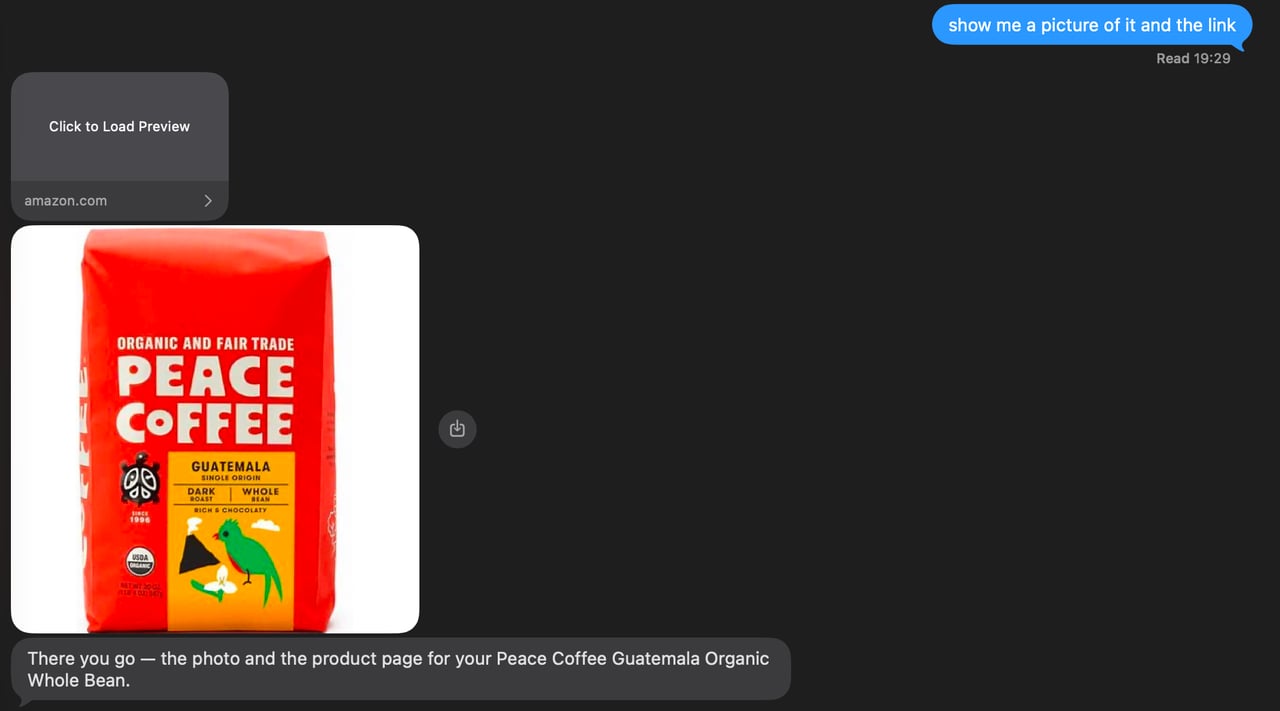
iMessage renders a URL that stands alone in a message as a preview card, and mangles one with words glued to it. So the model never sees a URL: the tools send them.agent/tools/send_link.ts texts a product url from a tool result as its own bubble, and refuses anything that did not come from one.
Pictures are a Linq media part with the image’s https URL; Linq fetches it and delivers a photo, no upload step. agent/lib/linq.ts:
send_image does with a product’s image_url. A text part and a media part can share one message, but the blueprint sends the picture alone so the agent’s sentence never gets attached to it. For an image you hold as bytes rather than a URL, create an attachment first (POST /api/partner/v3/attachments returns an upload_url and an attachment_id) and send { "type": "media", "attachment_id": "…" } instead.
5. Check the Vault before sending a link
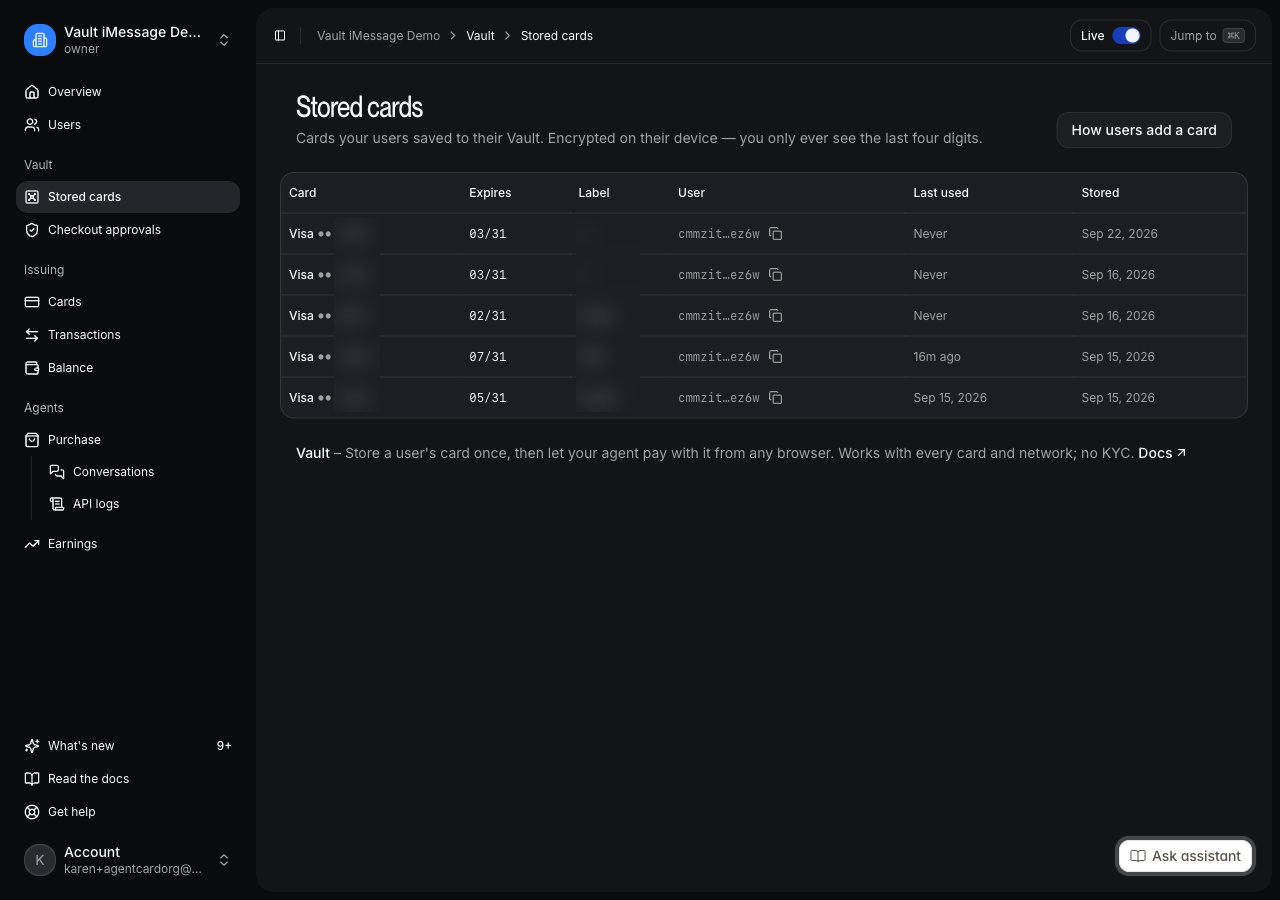
A returning user already has a card, and asking them to store another is the fastest way to lose them. For a connected user, before any Vault link, the agent lists their cards, as Checking for stored cards describes.agent/tools/list_cards.ts:
create_vault_link does the same check itself and refuses to send a link to a user who has cards, unless the agent passes force because the user asked to add one. When it does send one, the Vault session is bound to the connected user, so the card lands on the account /buy runs as:
user_id) is the sign-up itself, and step 2 turns it into the connection.
6. Place the order and learn of the approval
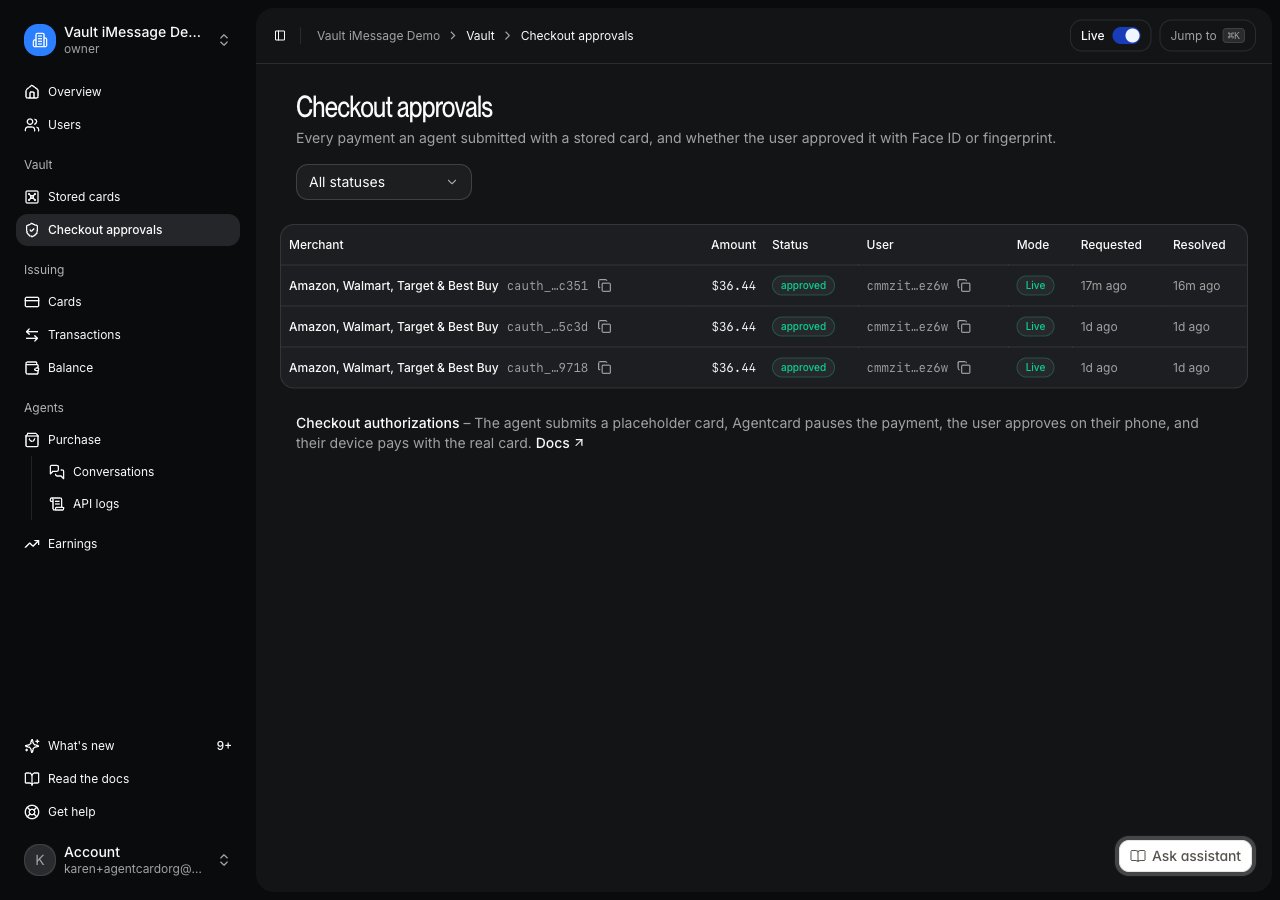
The confirm is where the two halves meet.buy with confirm and payment_source: "vault" does not place anything yet: it comes back declined with decline_code: "vault_approval_required" and an approval_url. The tool texts that URL alone, and remembers which conversation is waiting on it:
checkout_authorization.approved is delivered to the same webhook endpoint that receives the Vault events:
agent/channels/agentcard.ts looks the authorization up and wakes the paused conversation, the same attachSession(...).send the first guide uses for a stored card:
approved, “call buy now with confirm <hash> on conversation <id>, then tell them the result”; declined and expired become one sentence to the user. The amount on the event is the approval ceiling, not necessarily the charge: tax and shipping settle later, and order.placed carries the final figure.
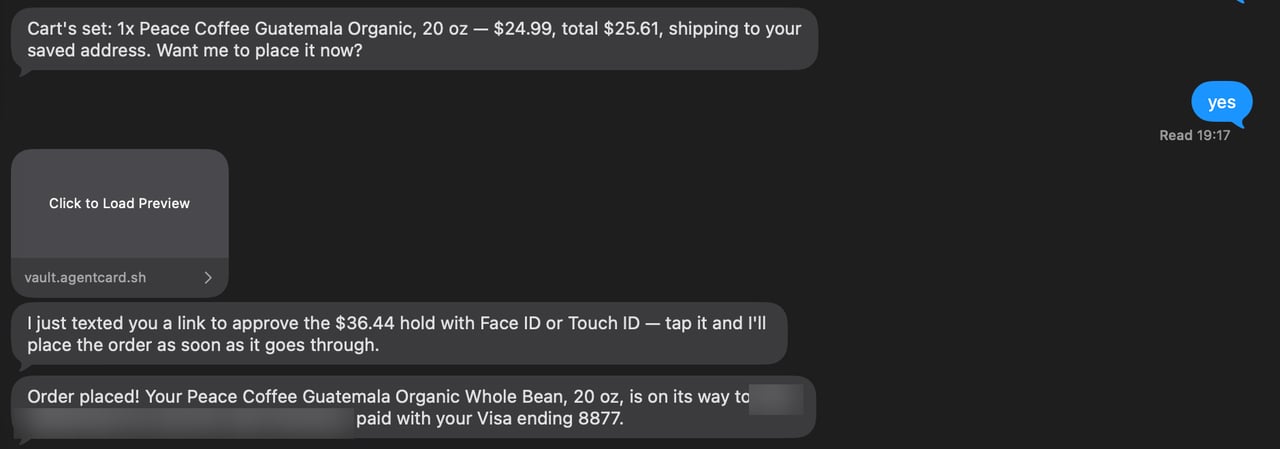
decline_code: "in_progress": not a failure, a “wait”. The tool waits, reads the conversation back, and reports the order that belongs to this checkout (last_checkout.order_id; orders are listed oldest first, so the first entry may be an earlier purchase):
phoneOf(ctx) would find nothing. agent/lib/user.ts remembers the phone per eve session on every text and reads it back on those turns:
7. Text it
From the phone you activated the Linq sandbox with:111111), then names a product and a price within about thirty seconds. Ask for a picture and the photo arrives as its own message. Say yes, and it shows the cart with the total and your address, then asks to place it.
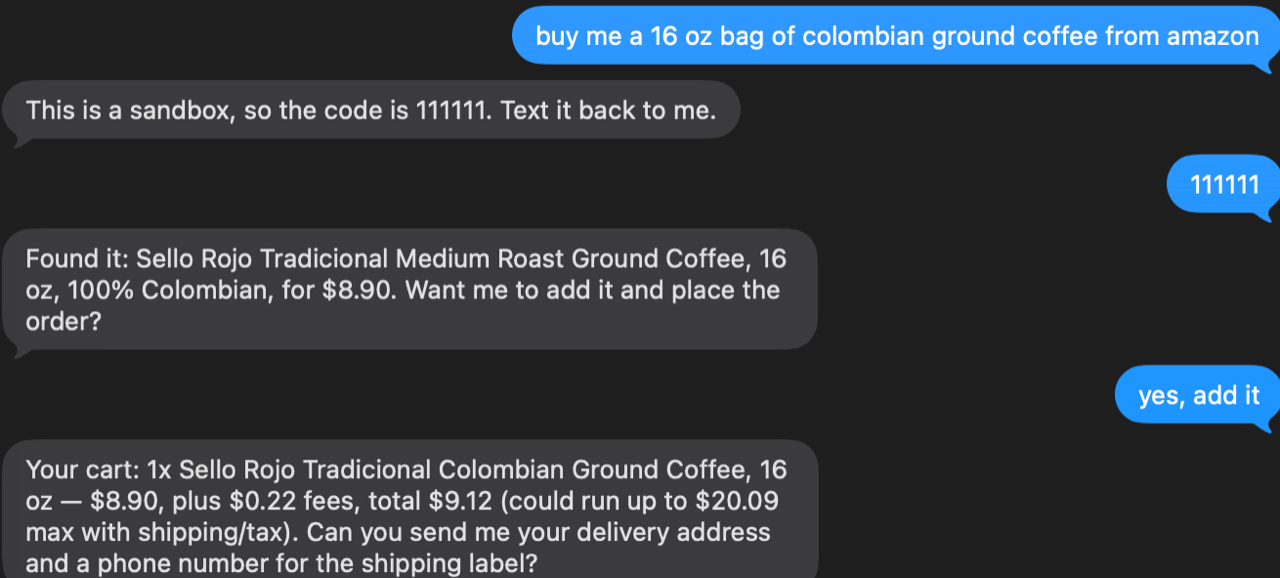
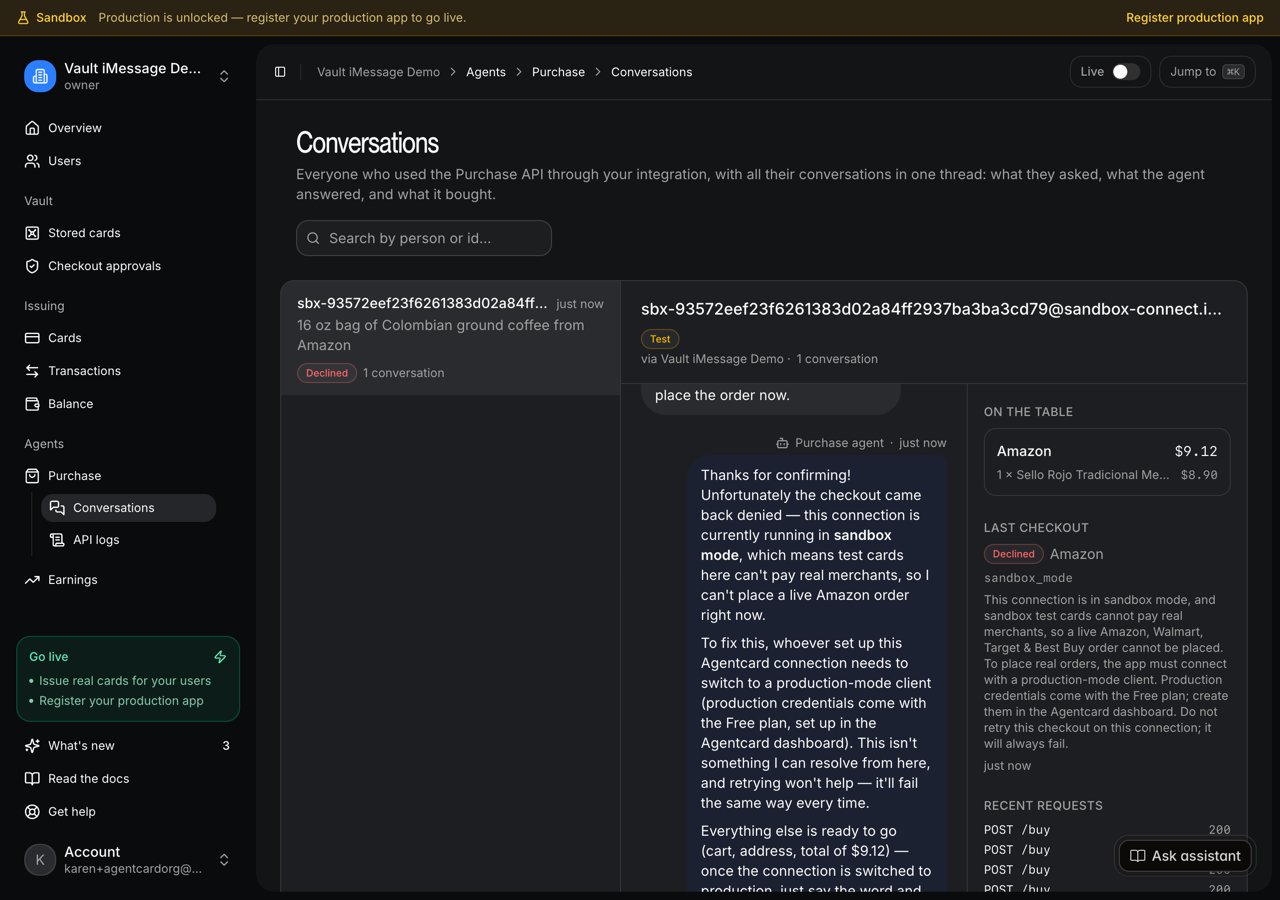
sandbox_mode and the agent explains that the order stops there by design:

/buy request with its status.
Going to production
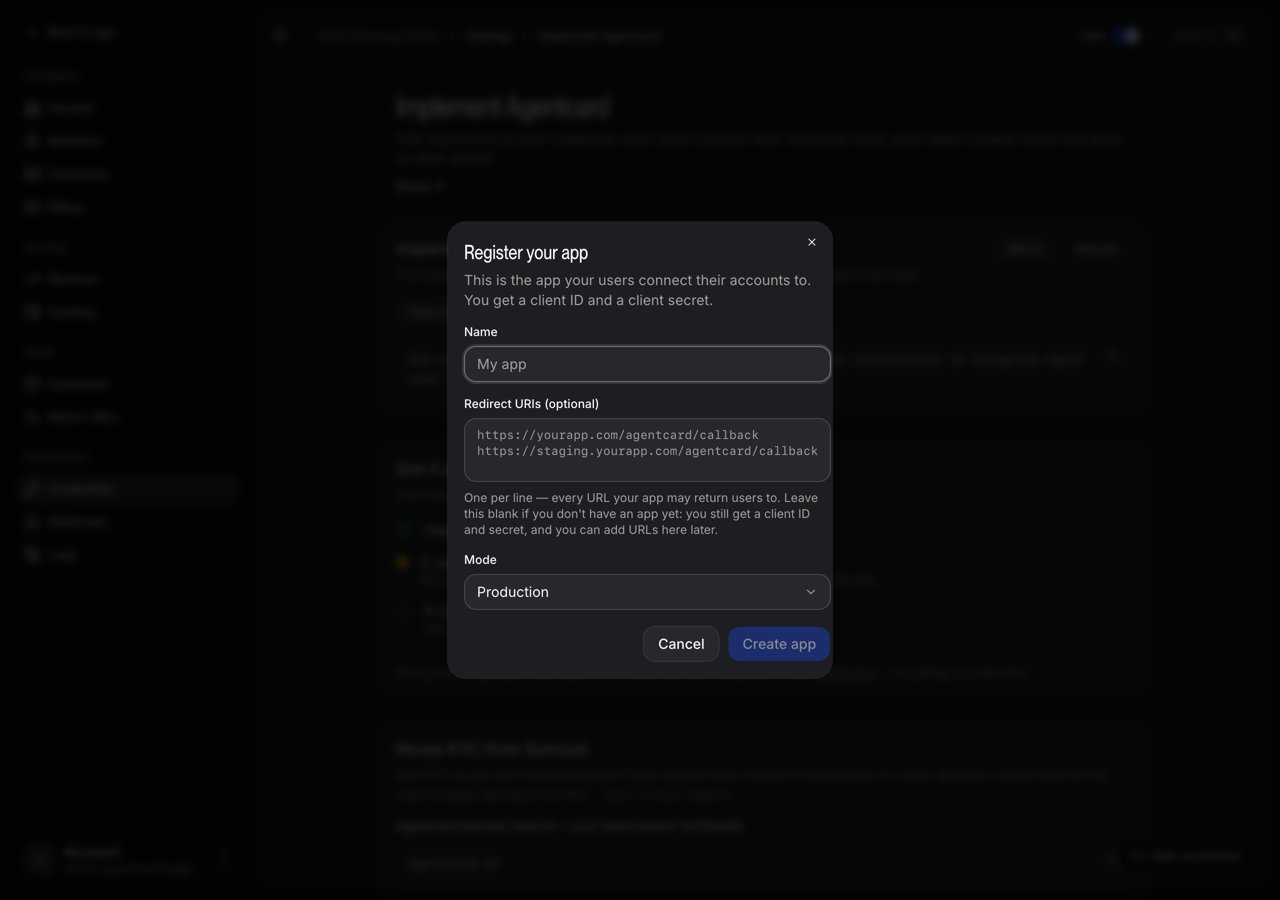
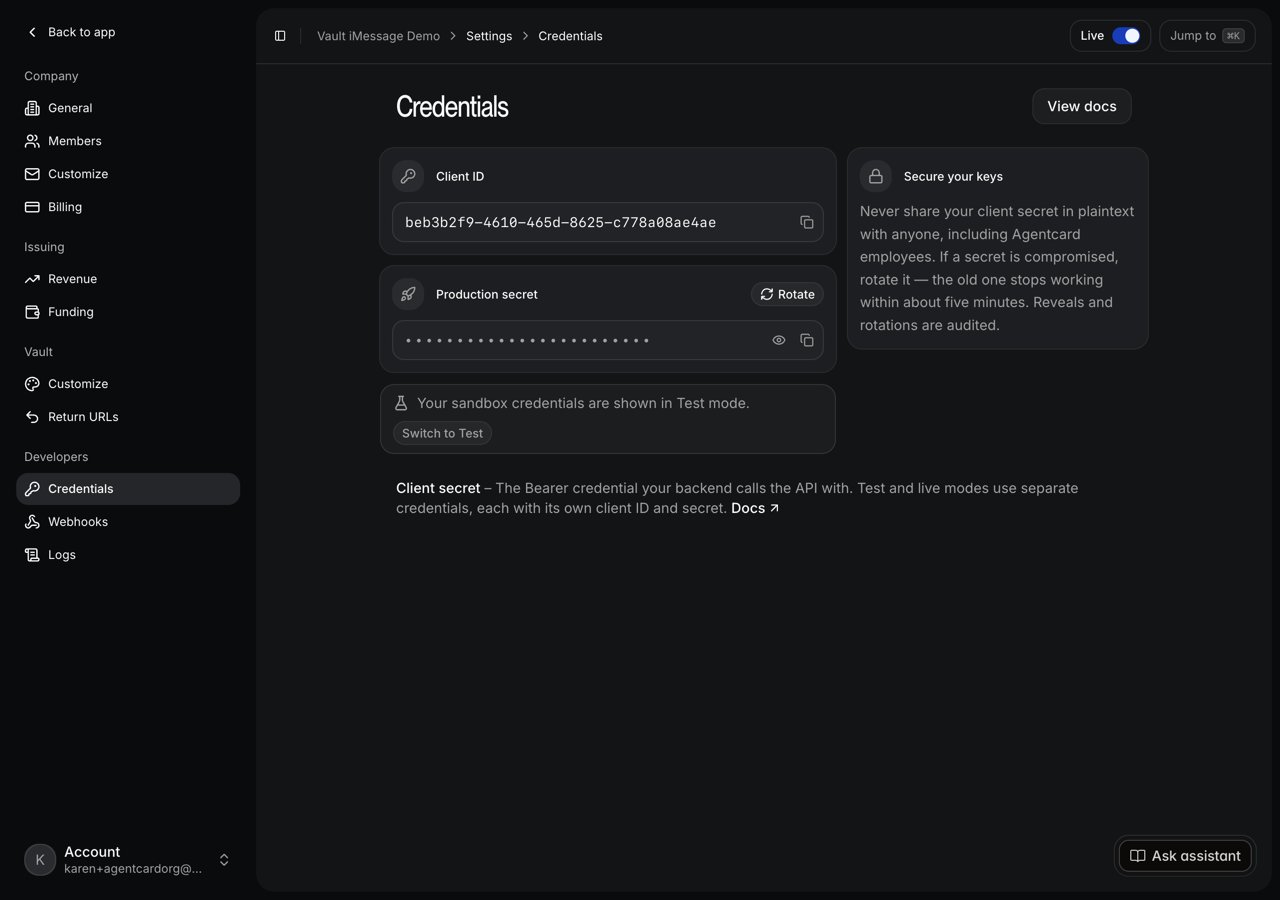
This is the step that makes the purchase real: the approval link, the webhook and the order only exist with Live credentials. Sandbox and production are two sets of credentials on the same organization and two webhook endpoints. No code changes.- In the Agentcard dashboard, open Settings → Developers → Credentials and switch Live on. The first time, the dashboard asks you to register your production app: a name, redirect URIs empty. You get a production Client ID and Production secret.
- Exchange them for a production token and register a production webhook endpoint with the same five events. Endpoints belong to a mode: the token decides which one you create.
-
Replace the four Agentcard variables on Vercel (
AGENTCARD_CLIENT_ID,AGENTCARD_CLIENT_SECRET,AGENTCARD_WEBHOOK_SECRET,AGENTCARD_MODE=production) and deploy.
eve deploy rewrites .env.local from the Vercel project after each deploy, quoting every value. If you copy values out of that file into vercel env add, strip the quotes: a quoted client id is rejected as invalid_client, and a quoted webhook secret fails every signature check.- To let anyone text the line, upgrade the Linq sandbox. The line, the token and the webhook stay.
If nothing comes back
Everything in the first guide’s checklist applies. Additions:- The card was stored but the agent still says the user is not connected: the exchange did not run or was refused.
vercel logsshows the handler’s attempt;409 not_linkedmeans the event raced the link (the next event retries),410 already_exchangedmeans the tokens were minted on an earlier call and Redis lost them (send a new link),403 account_verification_requiredmeans the user signed in to an existing account and the agent must fall back to the code. - The agent asks for a code: only right when the webhook said the account already existed.
verify_codereturningno_attemptorwrong_codemeans the attempt expired (ten minutes) or the digits were wrong; in the sandbox only111111verifies. If the text never arrives, the agent asks for an email and sends the code there. buyreturnsnot_connectedon every turn: the connection was revoked and the store forgot it. The agent reconnects with a new code.- The agent sends a Vault link to someone who already has a card: it skipped
list_cards. Thebuyreply can say “need a card on file” when the Purchase agent has not looked at the vault; the tool result, not that prose, decides. - After the approval the agent says the store could not place the order: the confirm hit
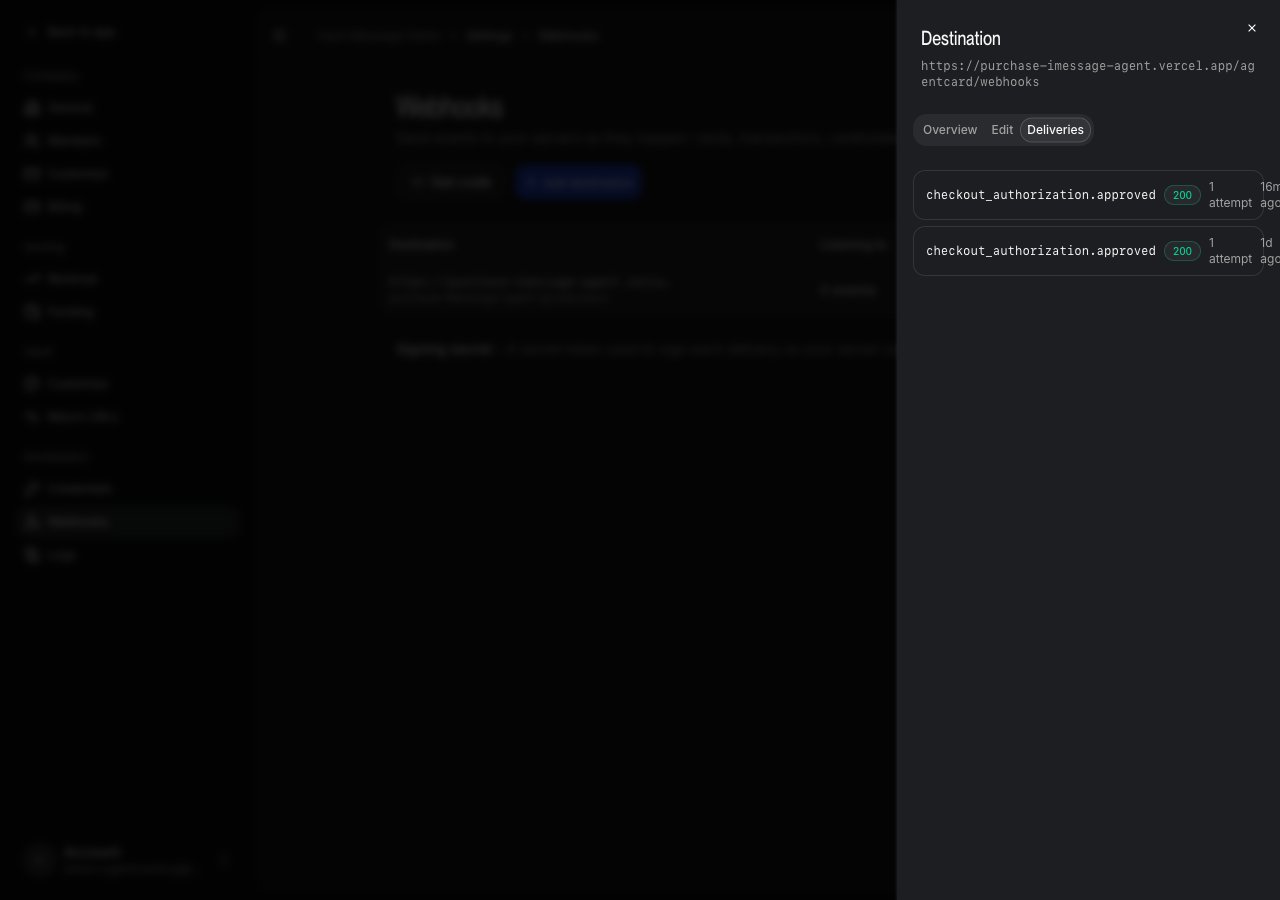
in_progressand the re-read found no order. ReadGET /buy/conversations/{id}with the user’s token yourself:ordersandlast_checkoutsay what happened, and the authorization stays approved for fifteen minutes. - After the approval the agent says nothing at all: the webhook did not reach it. Check the endpoint’s deliveries in the dashboard, and that the turn it woke had a phone to answer to (
No phone number on this conversationinvercel logsmeans the session’s phone was never remembered). - The approval link opens the Vault’s sign-in page instead of the approval: something was glued onto the URL. In the blueprint no URL passes through the model; keep it that way when you change the instructions.
- A product link opens a 404: the URL was composed instead of taken from the Purchase API.
send_linkonly accepts a URL from a tool result; keep the rule that a link is never typed into a reply.
Where to go next
- Agentcard’s Purchase API for the full loop: addresses as data, price changes, tracking retail orders, multi-cart confirms.
- The purchase object for every field
POST /buyreturns, including thein_progressdecline code. POST /api/v2/vault_sessions/{id}/exchange, the endpoint that turns a finished Vault link into the user’s tokens; its reference page is on its way to the API reference under Vault.- Create an iMessage agent and connect the Vault for the Vault link and the card-stored webhook this agent inherits.