

Types
There are two types of cardholders:| Type | Description |
|---|---|
| Personal | Linked 1:1 to a User account. Created automatically when an individual signs up for AgentCard. |
| Org-managed | Created by companies via the API. No User account needed — the organization manages the cardholder entirely. |
Relationship to payment methods and cards
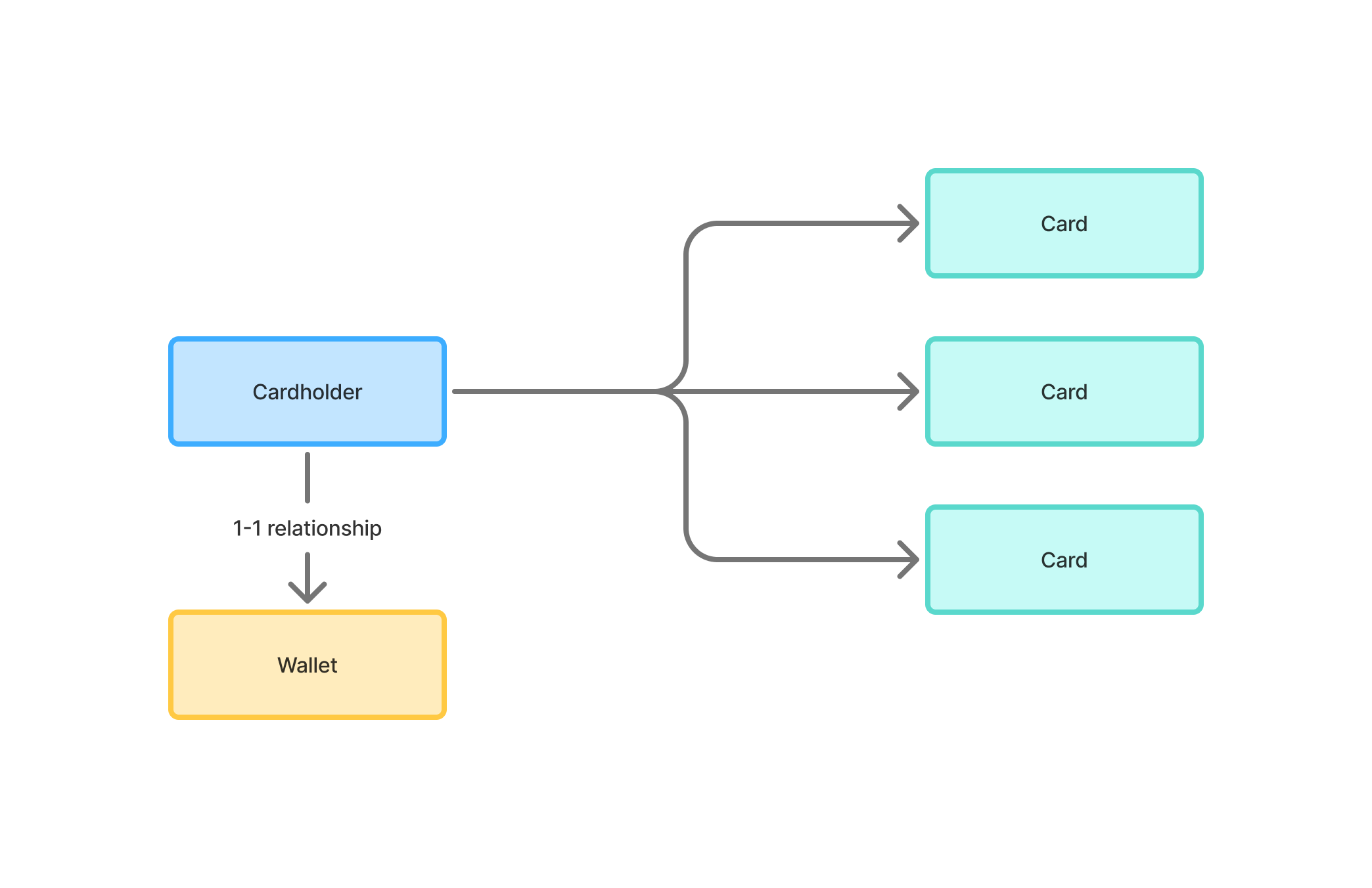
- Attach a payment method — Use the Setup Payment Method endpoint to create a checkout session. Once the cardholder completes checkout, their payment method (credit or debit card) is saved.
- Create cards — When you create a card, a PaymentIntent hold is placed on the cardholder’s payment method for the card’s spend limit. No funds are moved upfront — the hold is only captured when the card is used.
Properties
| Field | Type | Description |
|---|---|---|
id | string | Unique cardholder identifier |
firstName | string | Cardholder’s first name |
lastName | string | Cardholder’s last name |
email | string | Cardholder’s email address (optional) |
dateOfBirth | string | Date of birth in YYYY-MM-DD format |
phoneNumber | string | Phone number (optional) |
createdAt | string | ISO 8601 timestamp |
updatedAt | string | ISO 8601 timestamp |
Creating a cardholder
Create org-managed cardholders with the Create Cardholder endpoint.firstName, lastName, and dateOfBirth are required.